
Automateed Review 2025: Create eBooks Instantly with AI — Features, Pros & Cons
Introduction
Just to get to the point: Automateed is an AI-powered eBook creation tool that helps you generate full-length eBooks — complete with chapters, images, covers, and structure — with minimal manual effort. This all-in-one platform accommodates both beginner and experienced authors, using AI to create unique and finely-tuned written content. It claims to restructure the ideation-to-publication process, allowing authors, marketers, and content creators to move fast.
The mission behind Automateed is straightforward: reduce the friction and time cost of writing a book. Instead of struggling with blank pages, tedious formatting, and cover design, the AI system they use offloads you from doing all that work. Whether your goal is to publish to Kindle (KDP), use lead magnets, or spin out content products, Automateed positions itself as the tool to accelerate all of that and get you up and publishing as soon as possible.
In a crowded field of content tools, Automateed's value proposition is enticing: create an eBook, visuals and cover included, in minutes rather than weeks. That said, the proof will be in how it handles consistency, quality, and customisation — which we dive into below.
Key Features
I’ll focus on what stand out (or seem to) from Automateed’s public messaging and logical expectations for such a tool.
1. AI-Powered eBook Generation (Chapters, Content & Flow)
Based on its foundations, Automateed’s Ai model is to produce the content of your eBook — not just filler text, but structured chapters, narrative flow, and topic breakdown.
How it works (in brief): You give a theme, outline the prompts, or general direction. The tool builds a draft, which in that result splits into chapters, and refines transitions.
Why it matters: This saves you the heavy work. Instead of writing 100+ pages from scratch, you get a first draft to edit.
Unique twist: Automateed also highlights that it can mix images and design components, not just raw text.
2. Image & Cover
To attract readers for your book, a convincing eBook needs good visuals. Automateed claims to make applicable images (for chapters) and even a cover design routinely.
What it does: Based on the content, it picks or creates visuals (utilizing AI generative imagery) and places them in the chapters or cover layout.
Why it matters: Many writers normally go out to hire someone for that work or manually design covers — this reduces cost, time, and system.
Why is it different: Many AI writing tools focus only on structured text; fewer tools integrate visuals and layout in a turnkey flow.
3. Help with Niches, Ideas and Topics
One of Automateed’s biggest strengths is that it helps you choose a niche, come up with topic ideas, and organise your content around them.
How it works: It likely uses built-in prompts or templates to suggest things like titles, subtopics, chapter layouts, and attention-grabbing hooks.
Why it’s useful: If you’re unsure what to write about or how to narrow down your book’s focus, it gives you a clear starting point.
The benefit: It helps you beat writer’s block by giving you ideas and a basic structure to build your content on.
4. Promotion & Distribution Tools
According to the website, Automateed also offers some help with marketing tasks, like getting your eBook ready for Amazon KDP or creating lead magnets.
What it might do: Export your book in Kindle format, write promotional blurbs, or create marketing-friendly images.
Why it’s useful: It helps close the gap between writing and actually publishing or promoting your work, giving you support from start to finish rather than just helping with the writing.
5. Edit, Improve and Customise
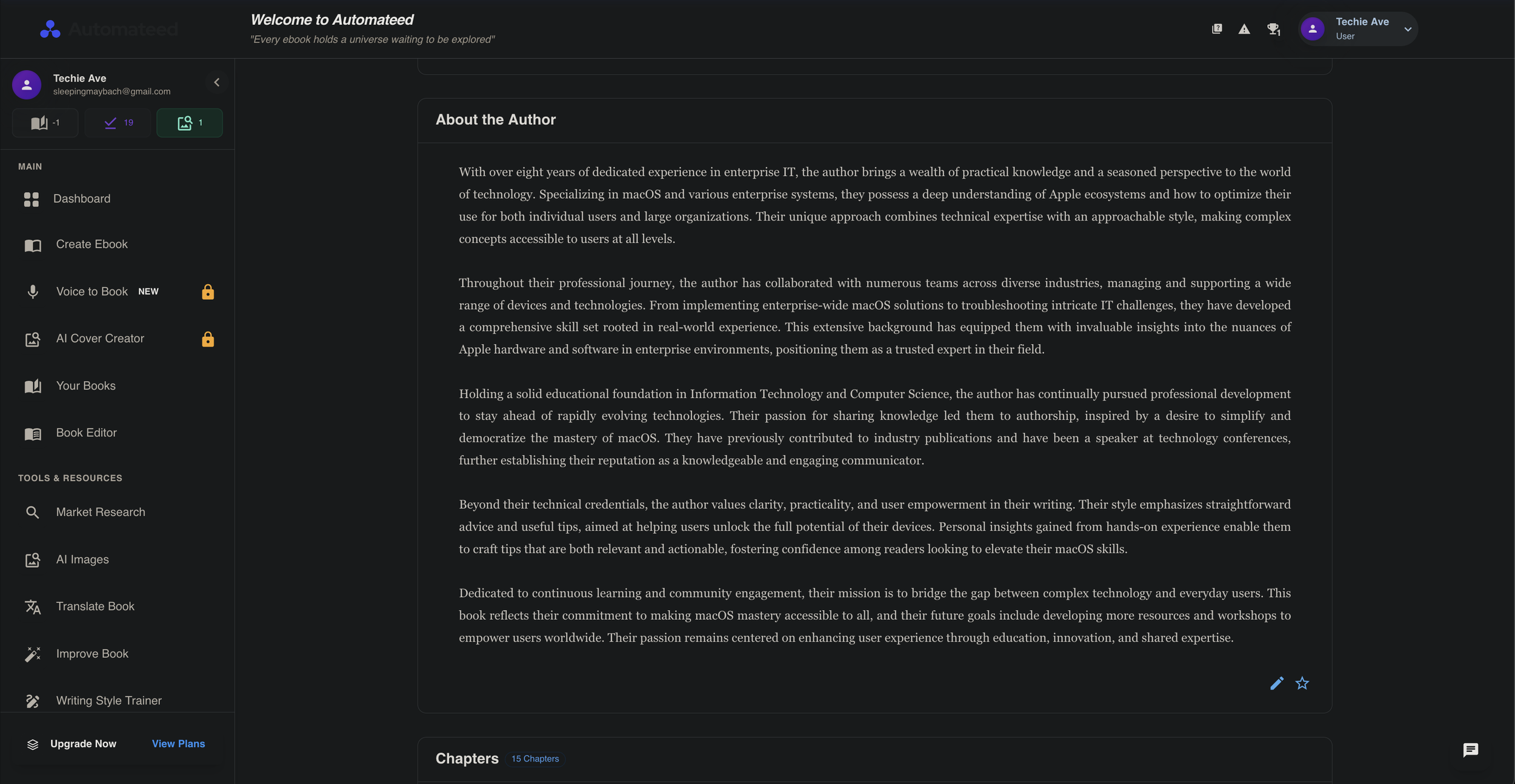
Obviously there is nothing perfect in this world especially AI-generated drafts— you’ll still need to make the right adjustments. Automateed offers tools for editing, tweaking content and customising your work.
What you can do: Re-write or re-generate sections, adjust the tone, reorder chapters, or replace the AI’s suggestions with your own.
Why it’s useful: It keeps your content flexible and lets you add your own voice or brand style, rather than being stuck with what the AI tool gives you.
How It Works for Users
Here’s what a typical user journey in Automateed might look like (based on how similar AI content tools work):
1. Enter Your Idea: You start by typing in your book idea, topic, niche or target audience.
2. Outline or Prompt Stage: Automateed suggests a structure, such as chapter outlines, or you can create your own.
3. AI Draft Creation: The tool generates draft chapters, content, transitions and sometimes images.
4. Review and Edit: You read through the content, make changes, rewrite sections, regenerate parts or adjust the tone.
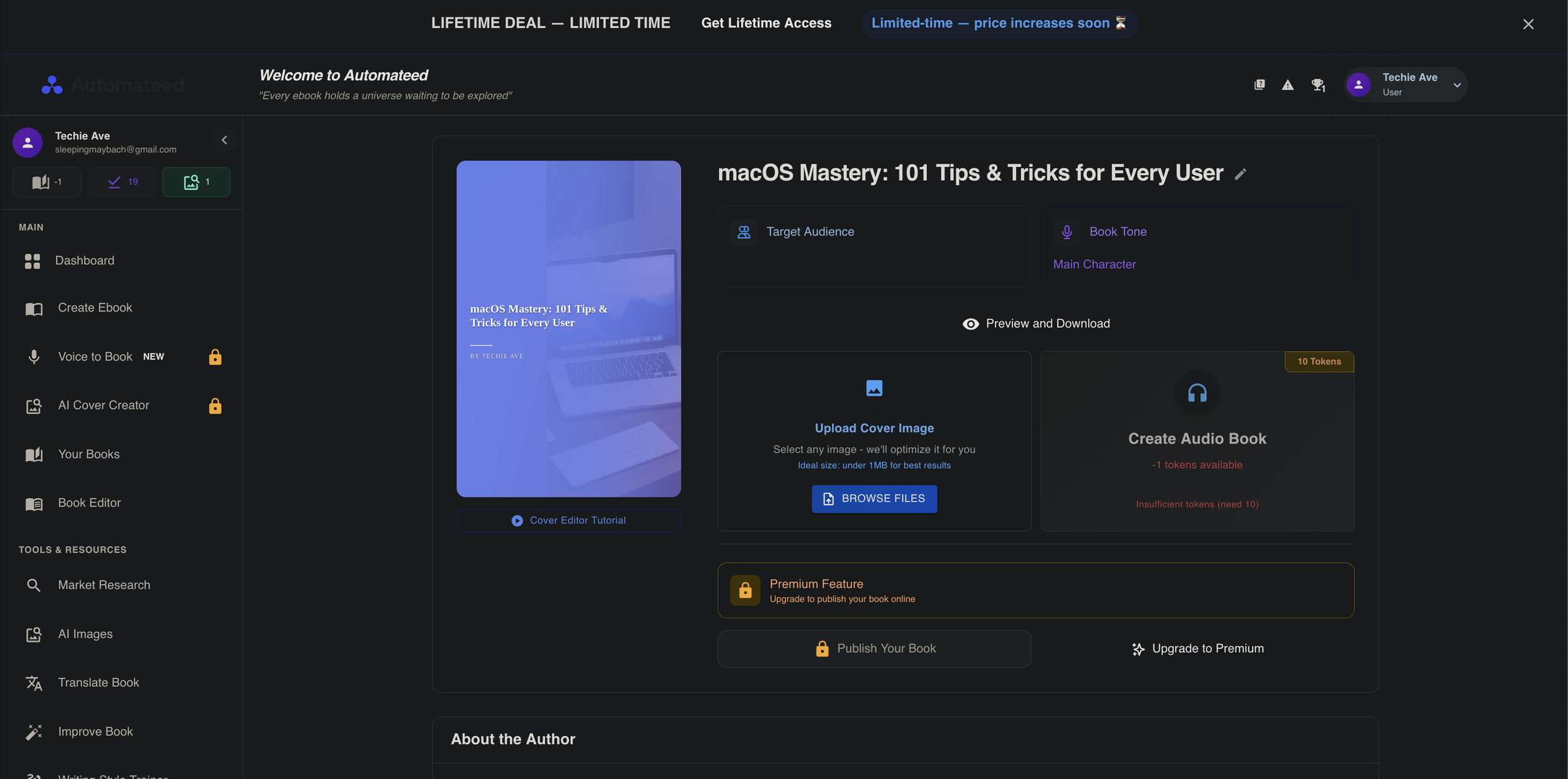
5. Cover and Visuals: The system creates a book cover and adds images to chapters. You can customise, swap or edit them.
6. Export or Publish: You export your book in formats like PDF, EPUB or Kindle (KDP), and you can also download promotional materials if needed.
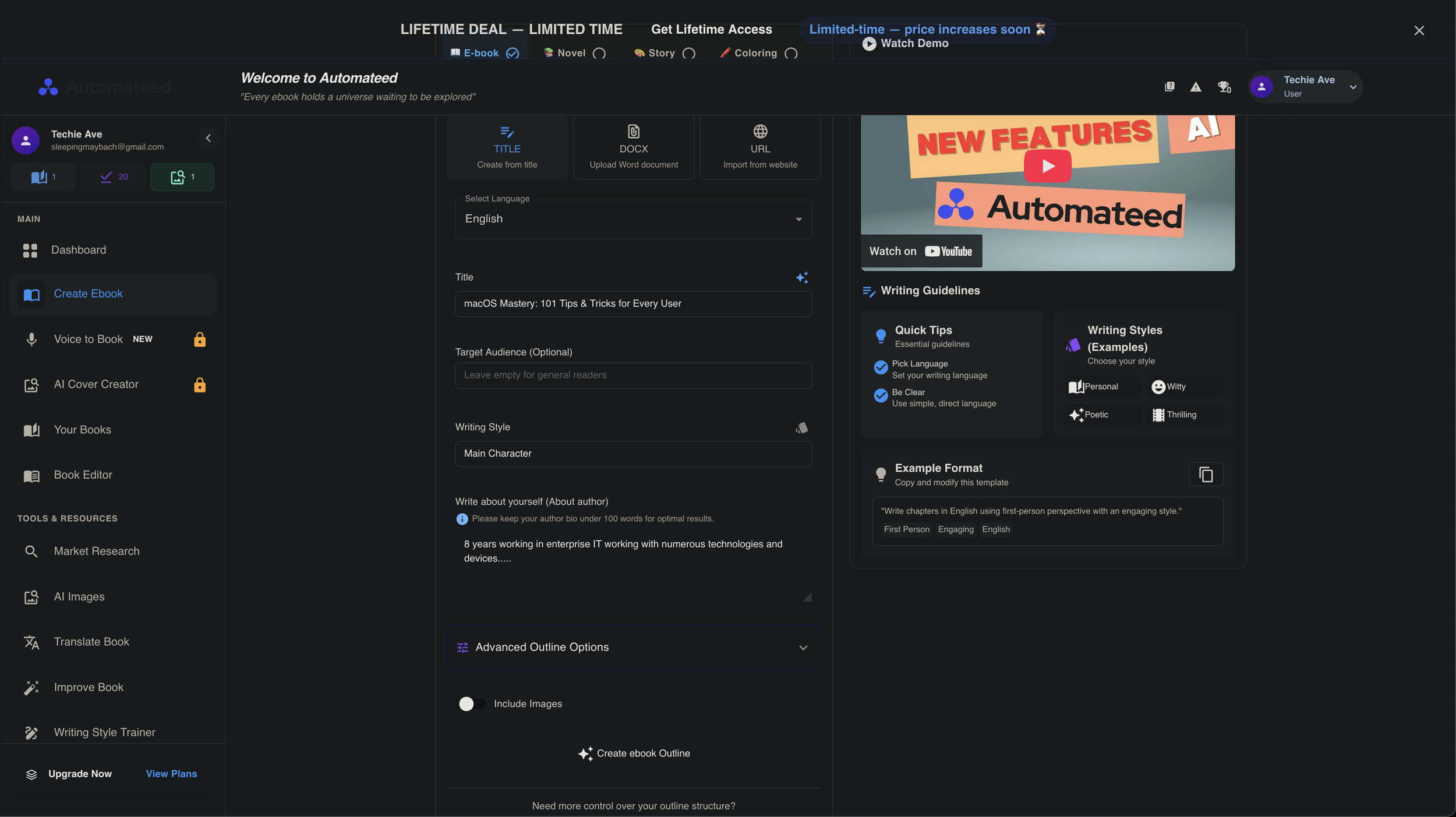
Image Description: This is the first initial imput screen of creating the eBook.
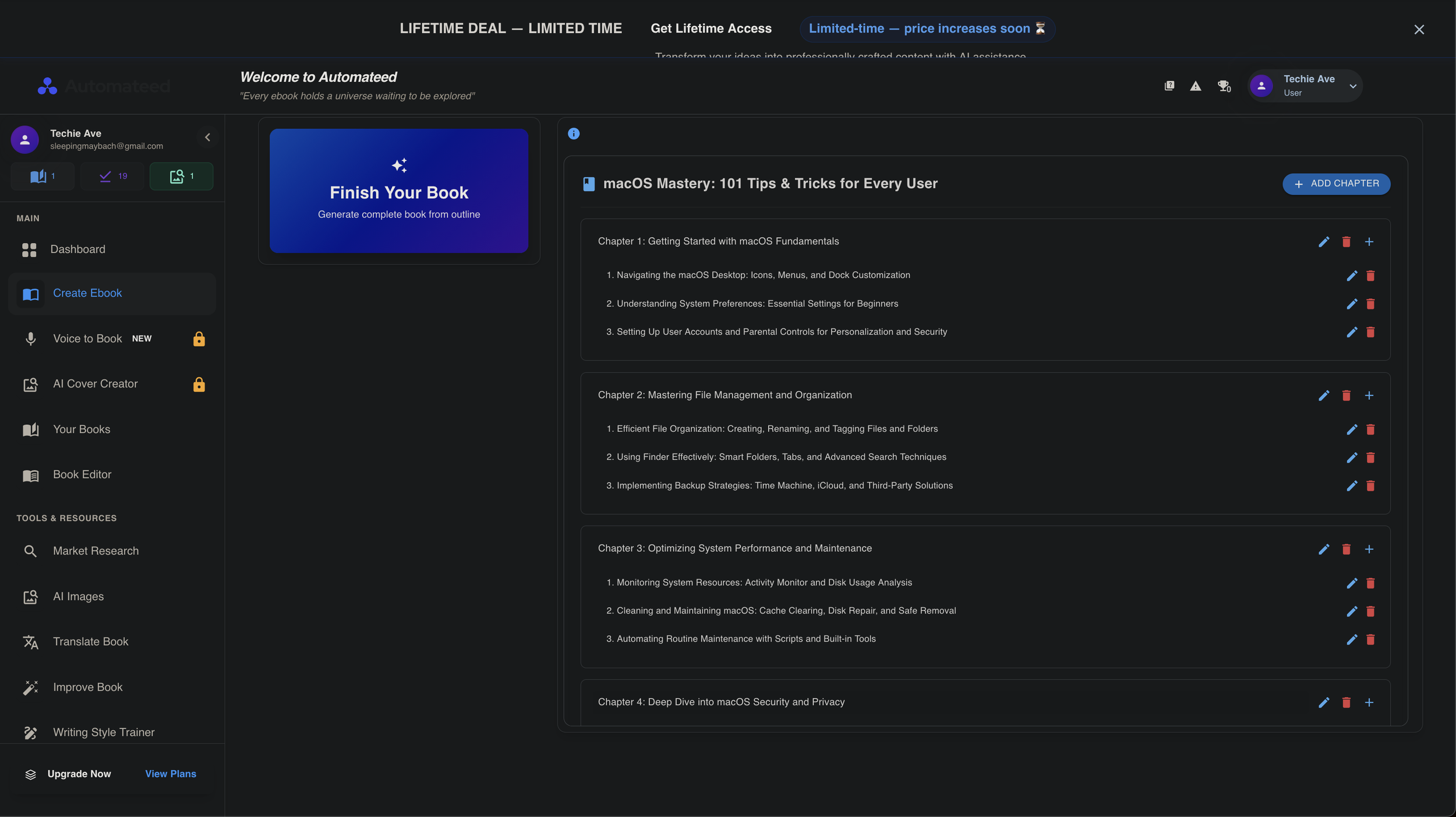
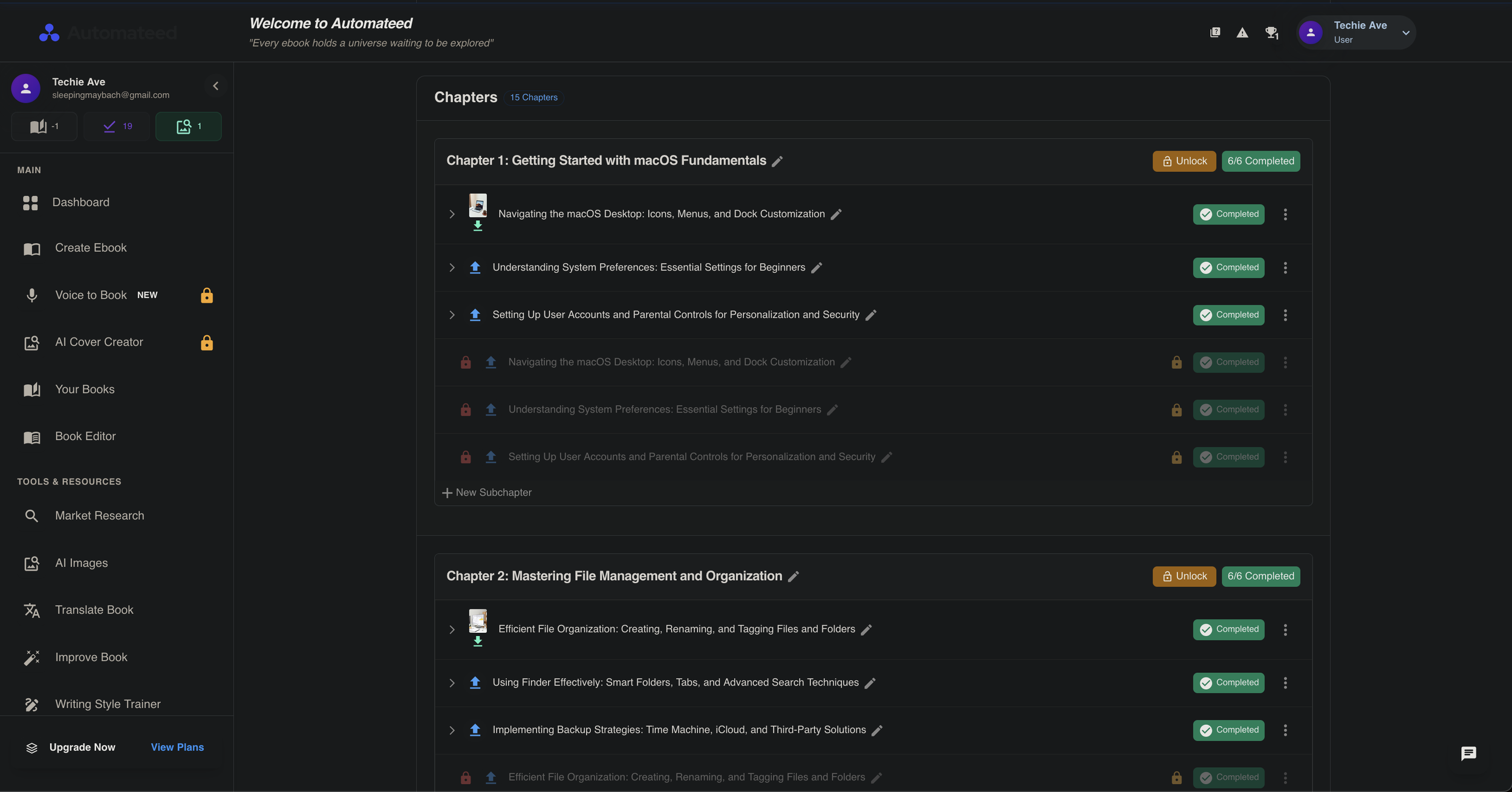
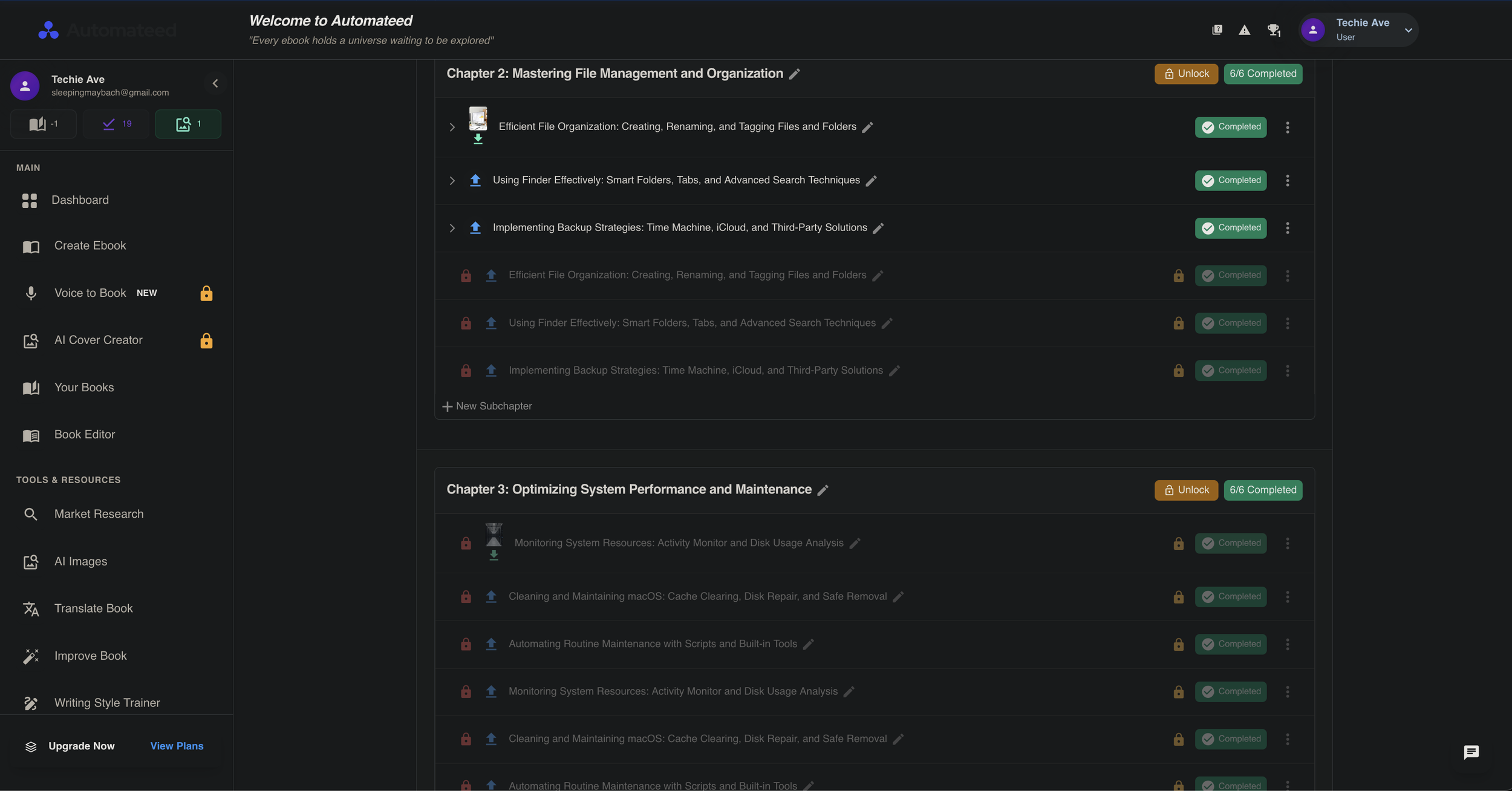
Image Description: This is the chapters created by the Automateed Ai system. As you can see you can add your own and delete any chapters you want.
Use Cases / Practical Scenarios
Role / Situation
How They Might Use It
Solo Author / Indie Writer
Quickly create a first draft of an eBook, then edit and publish it on Kindle (KDP).
Content Marketer / Growth Team
Produce lead magnets like eBooks or reports faster than outsourcing.
Course Instructor
Turn a course into a companion eBook or workbook, complete with visuals, as an added bonus for students.
Agency / Ghostwriter
Generate draft eBooks for clients that can later be customised in more detail.
Small Business Owner
Turn expertise or “how-to” knowledge into professional eBooks to sell or use for customer education.
Niche Blogger / Authority Site Owner
Expand existing blog posts into eBooks to sell, bundle or offer as gated content.
Who Benefits and How
1. Individuals / First-Time Authors
Helps you create content quickly without staring at a blank page.
No need for design or cover-making skills — the tool handles it.
A great starting point if you’re writing your first eBook.
2. Technical Writers / Developers / IT Teams
Not directly aimed at highly technical documents like API manuals.
Still useful for creating supporting materials such as guides, white papers or companion eBooks.
You can use the same AI tools to structure and generate narrative or instructional content.
3. Marketers / Product and Growth Teams
Big advantage: quickly produce lead magnets, gated content and mini eBooks.
Lets you test niche topics faster without paying external writers.
Helps connect content planning with actual production.
4. Educators / Trainers / Customer Support Teams
Turn training materials or FAQs into polished eBooks or guides.
Useful for onboarding, reference manuals or handouts.
Saves time by answering common questions with a well-made guide.
5. Human Resources (Corporate business)
Internal employee handbook for new joiners and existing employees.
Instruction manuals helping users navigate HR systems.
They can supplment ebooks for there staff knowledge base.
Final Verdict
Overall, Automateed is a very promising tool for anyone who wants to shortcut the eBook creation process. It combines AI text generation, image/cover creation, and content structuring in a single package. For marketers, authors, trainers, and content creators, it offers real productivity gains — so long as you accept that editing will still be needed.
Pros:
Rapid draft creation and ideation
Integrated visuals and cover generation
Built-in niche/topic assistance
Reduces the need for multiple tools (writing + design + layout)
Cons:
Risk of AI coherence / accuracy errors
Visuals might lack uniqueness
Unknown export flexibility
Possible template / cap limitations
We encourage readers to try the free plan, if available, or explore their pricing and feature pages to see which tier unlocks the features you need. If you already have an idea for a book or content outline, run it through Automateed — you’ll likely be impressed by how much it can accelerate your process (while remembering that your editing skills still matter).
Key links you should include / check:
Automateed pricing page (if available)
Automateed features / demo pages
YouTube demo: “Demo – Features of Automateed” (YouTube)
