
Learn Place AI Review: The Personalized AI Learning Assistant Worth Trying
CONTENTS
Introduction to Learn Place AI
Key Features
How it works / User Workflow
Use Cases
Benefits by Role
Comparison with Alternatives
Conclusion
Introduction
This segment is about Learn Place AI — a relatively new contestant in the “AI tool for learning” that places itself as a smart assistant to help learners move faster. The mission: personalise your learning path, adapt to your experience, and deliver interactive courses that fit your goals. On the surface it promises more than “one-size-fits-all” courses: instead, you get a custom program, adaptive explanations, and 24/7 tutoring style support. That’s attractive for students, professionals up-skilling, educators, even teams. But in perception how effective is it? Let’s take a look.
Key Features
Here are the standout features we found:
Custom Syllabus Generation: At the start you input your goal, background, what you already know (current personal experience). Learn Place AI then produces a fully structured curriculum tailored to you.
Adaptive Learning & Interactive Guides: The platform claims to adapt each concept to what you already understand and deliver “interactive guides” (in effect conversational AI explanations, built-in exercises, examples tied to your context)
Progress Tracking & Personalisation: Rather than having the basic modules, you get tracking of how much you’ve done, what remains, modules you can skip if you’re ahead, etc.
Upload Your Own Content / Integration: According to the site, you can upload your own documents/textbooks/materials, and the AI will incorporate them into your learning path.
Enterprise / LMS Integration (for organisations): If you’re an institution or a business, you get LMS integration, single sign-on (SSO), GDPR-compliance, analytics dashboards for at-risk learners, etc.
So, although it’s pictured as a “learning assistant” rather than pure documentation tool, you could very well use it to build interactive guides or documentation-style workflows (for example internal training modules) given the upload/content integration and tracking.
How It Works / User Workflow
Here’s the workflow — we’ll note where visuals/screenshots would help.
1. Onboarding / Background Info
You sign in and feed the system details: your current knowledge level, your learning objective, motivations.
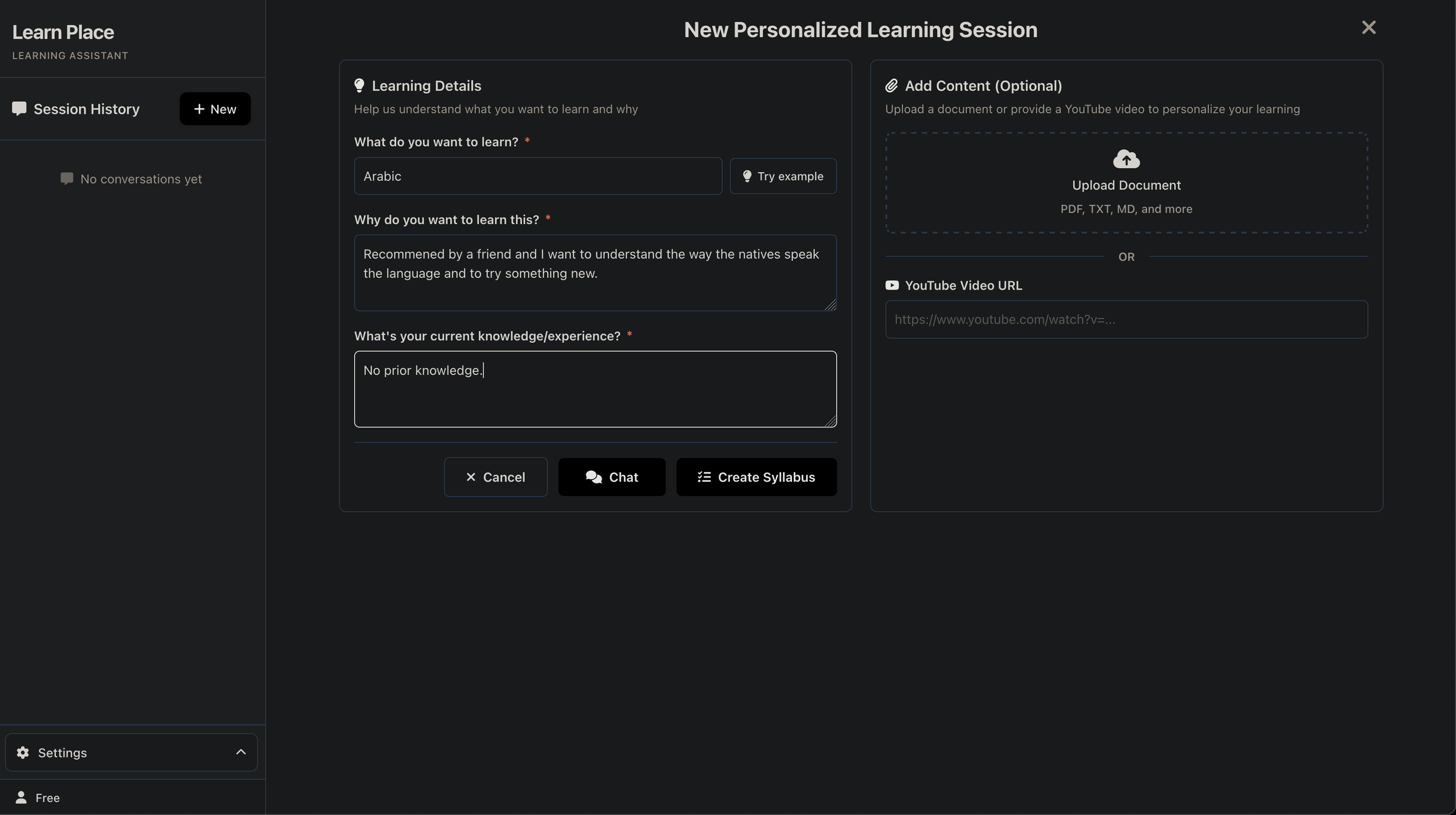
Image Description: This is the backgroud / goal imput where you enter what you
2. Syllabus Generation
The AI processes your input to generate a custom syllabus: ordered modules, sub-topics, dependencies, suggested pace.
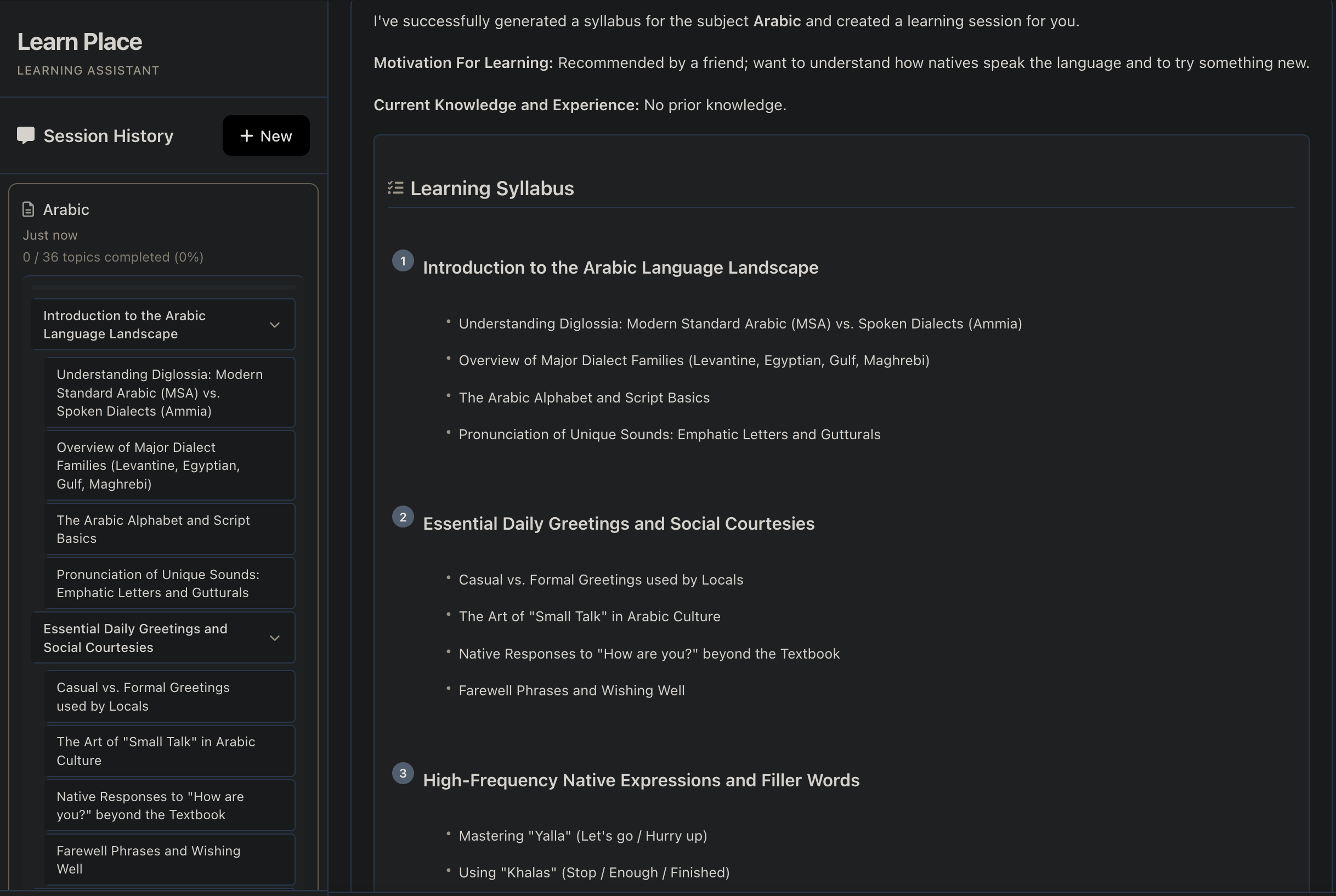
Image Description: This is the learning syllabus of what has been entered initally before this window.
3. Learning & Interaction (Interactive Guides)
You pick a module, ask the AI questions, see explanations, do exercises, maybe upload your own content (PDFs/notes).
The system links new concepts to your prior knowledge (they call this “apperception-based” learning).
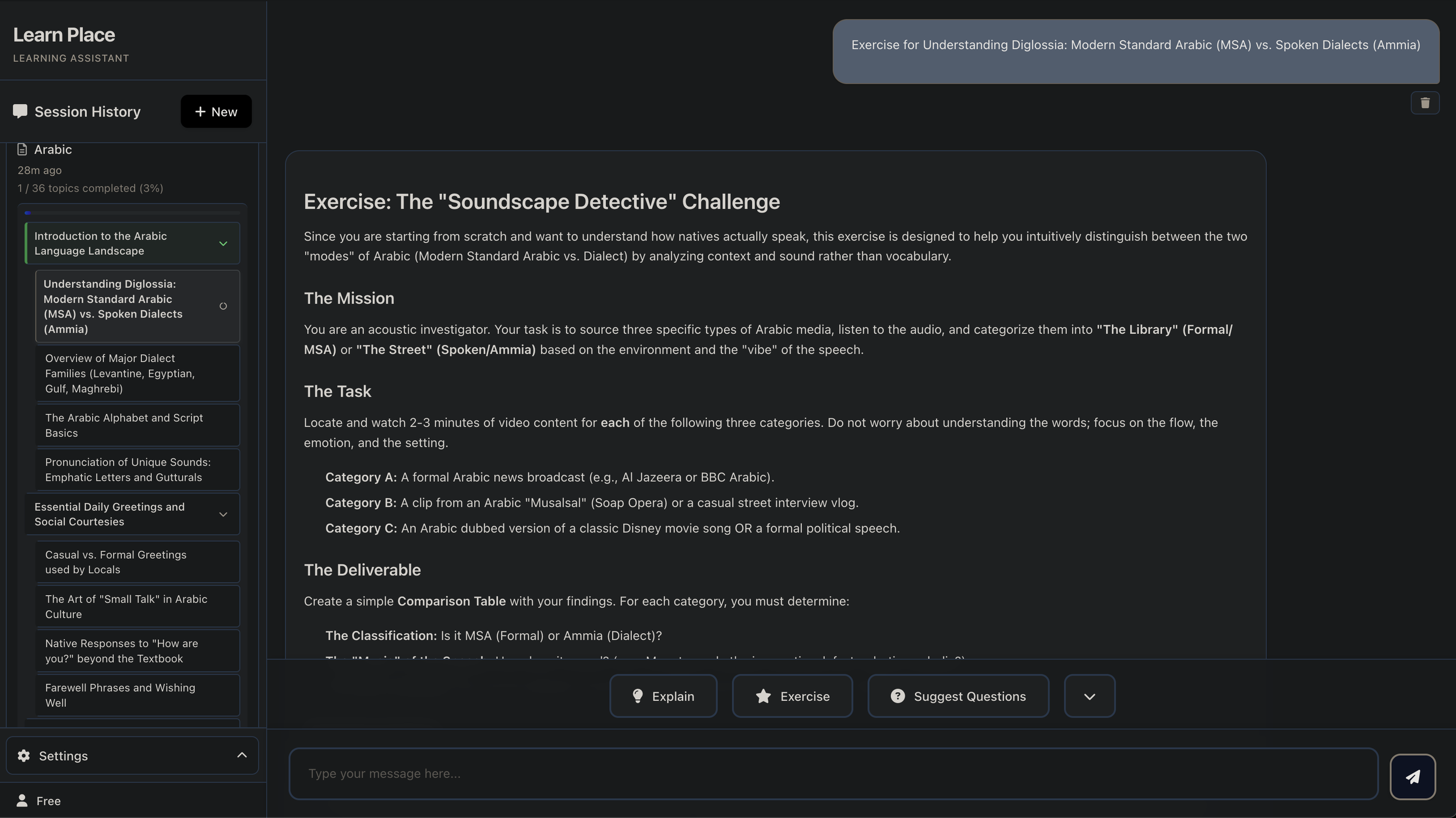
Image description: Chat-style interaction window + module page.
4. Progress Tracking / Feedback Loop
You see your % completion, modules pending, maybe practice questions, analytics on your pace.
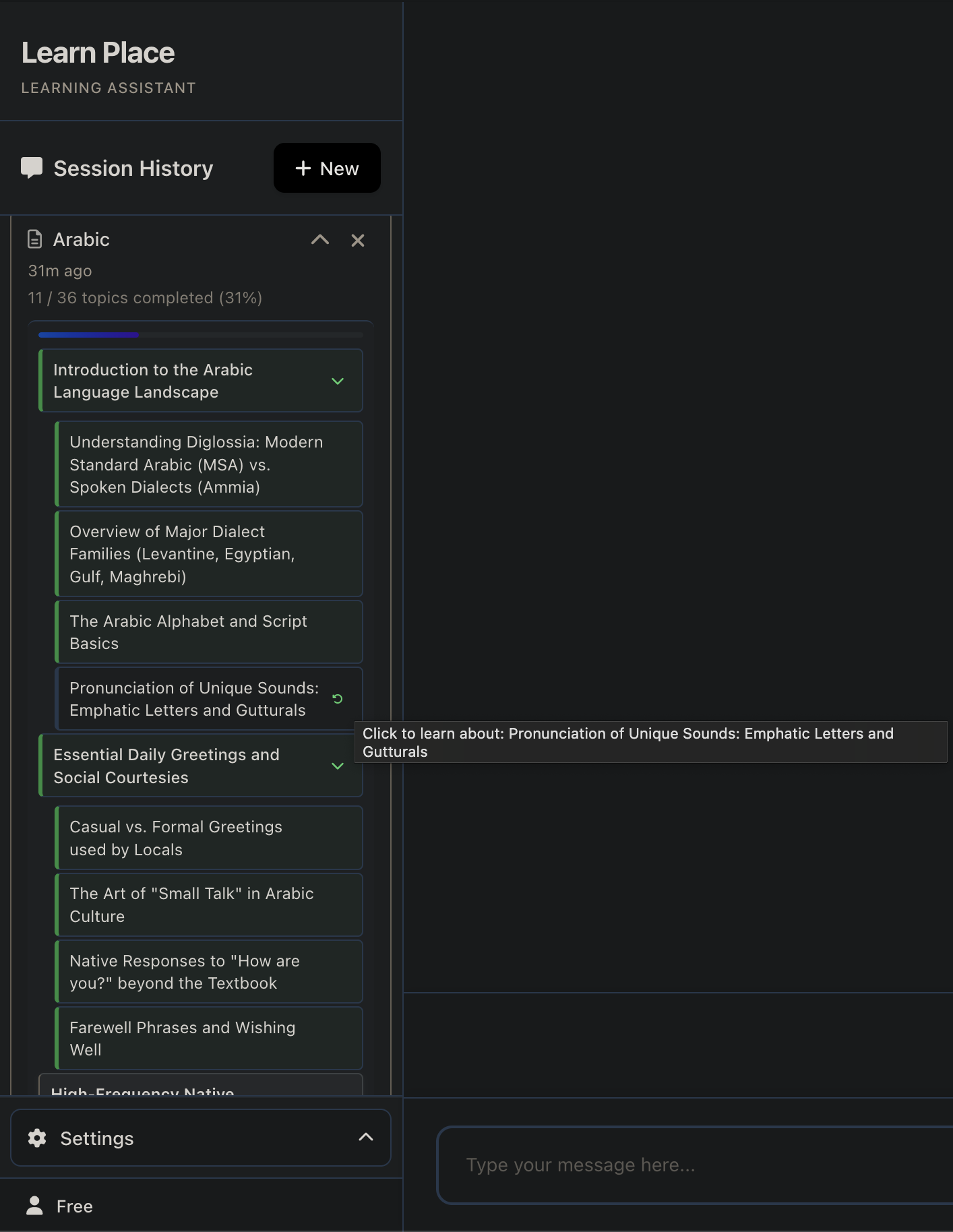
Image Description: Progress dashboard.
5. (For organisations) Integration & Analytics
If you’re deploying in a team/institution: you plug the platform into an LMS via LTI 1.3, monitor engagement, intervene where needed.
Comparison with Alternatives
While not exhaustive, a couple of relevant alternatives to Learn Place AI are:
Coursera / Udemy: These provide pre-built courses, but they are mostly one-size-fits-all. Learn Place stands out by tailoring content to your individual skills.
Tutor AI-style chatbots / generic AI assistants: You ask questions, get answers. But they don’t generate a full program, track progress, link modules. Learn Place combines structured path + conversational AI.
Corporate LMS + authoring tools: Many companies build their own internal training modules. But Learn Place offers AI-driven content generation and adaptive learning which is more advanced than static manuals.
Limitations & Considerations
The marketing claims are strong (“learn 3-5× faster”), but independent peer-review or long-term studies are not yet widely available.
If you’re seeking highly niche/industry-specific training (e.g., very deep engineering topics), the scope may depend on how well the AI handles your exact domain.
As with all AI tools, you’ll need human oversight: explanations might not always hit perfect field accuracy, so if you’re using it for mission-critical training (compliance, safety) you’ll still need expert review.
Pricing structure: free tier is there but with restrictions; moving up to business/institution deployment will involve cost and integration effort.
Uploading trademarked or sensitive content: while they claim GDPR-compliance and enterprise security (in LMS integration scenario) you’ll want to review data-security, lock-in, and how the AI uses your content.
Conclusion
In short: if you’re looking for an AI-powered learning assistant that goes beyond static courses and gives you a tailored program, interactive guides, progress tracking, and the ability to upload your own materials — then Learn Place AI is a undeniable choice. We like how it adapts to your background and how it can also serve teams/institutions. However, like any emerging tool, it’s not a stable gold standard yet and you’ll still want human oversight for specialist content.
